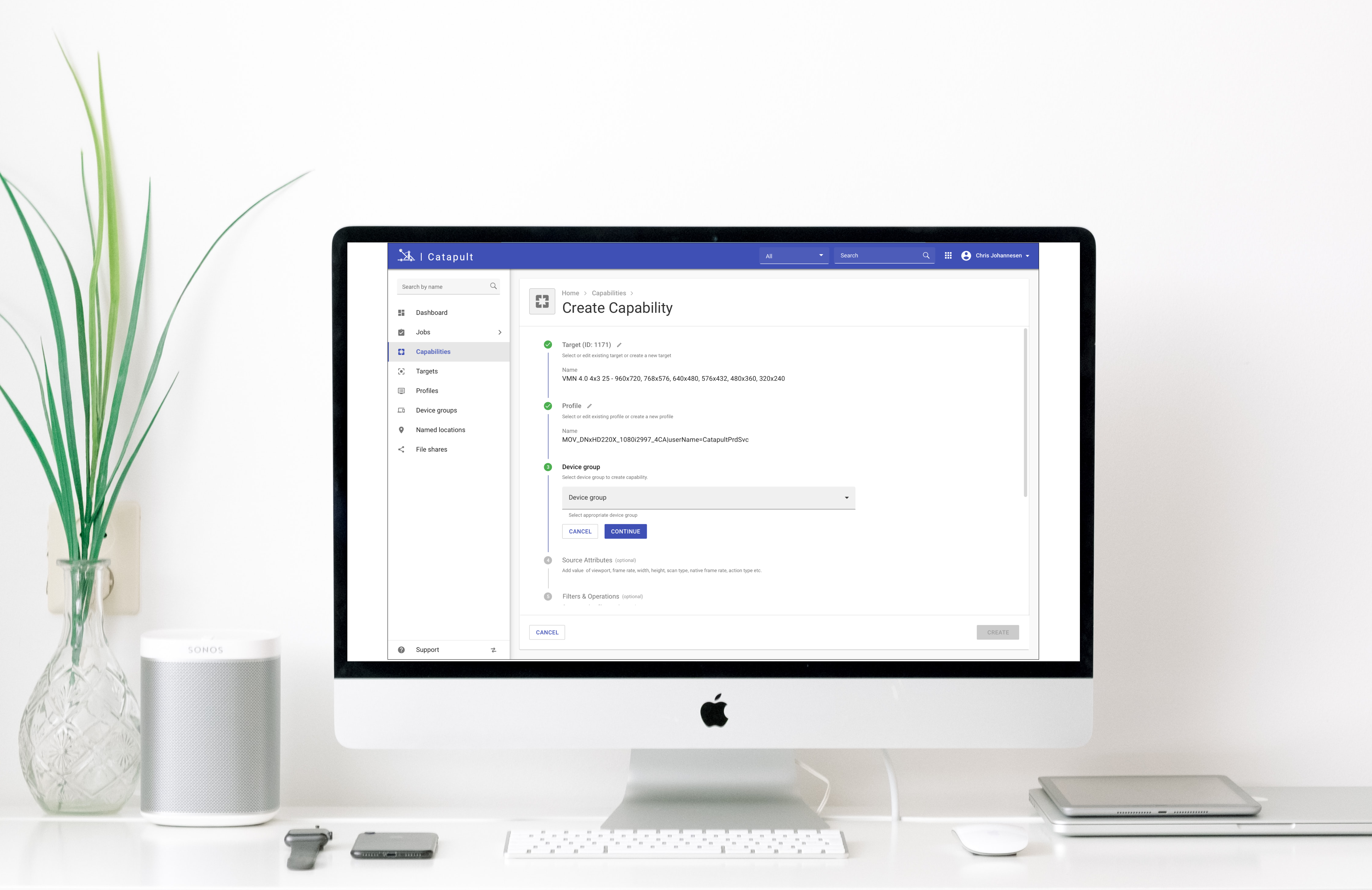
Project Overview
Catapult is an application service that provides transformation of media files and content distribution services to its clients through a well-defined single point of integration for leveraging Viacom's globally distributed media storage and transcoding capabilities.
After over a year of dedicated work in designing this product, which is now successfully in production, I'm thrilled to share the journey, insights, and experiences from my time at Viacom.
Onboarding & Initial Context
When I joined the team as a UX Designer, the initial focus was clear: we needed a streamlined front-end UI to help users complete tasks efficiently and drive engagement. My starting point was a set of preliminary materials provided by the team, including a few pen sketches and basic mockups.
From there, I applied a user-centered design approach, leveraging standard methodologies to gather insights and ensure the design aligned with user needs while also considering the broader perspective to support business growth objectives crucial for this B2B product.
Project Goals
The primary goal was to create an attractive and intuitive media transformation tool that would:
- Enable users to navigate complexities more effectively
- Enhance user satisfaction and engagement
- Attract more businesses to adopt the solution
- Reduce developer dependency significantly
- Lower overall product costs
User Research & Developer Interviews
To gain a deeper understanding of the product's business use case, goals, and challenges, I conducted extensive user interviews with developers as primary users. This project was deeply rooted in development, making it crucial to understand the core problems from their perspective.
Communication Challenge:
During user interviews, I encountered a language barrier—developers primarily spoke in API terms, which made communication as a UX designer quite difficult. To address this, I used a practical approach: documenting what the front-end should look like using low-fidelity prototypes. This allowed me to convey high-level design concepts and quickly gather feedback on the mockups, helping to bridge the gap and ensure alignment.
Usability Testing Insights
I conducted moderated usability testing sessions with developers to:
- Identify usability issues: Understand pain points and areas of friction in the user journey
- Validate design decisions: Test whether the interface supported users in completing key tasks
- Gather qualitative feedback: Gain insights into user behavior, preferences, and expectations
Key Finding: Comment Icon Accessibility
Issue: Users had difficulty accessing additional comments as the UI only displayed the latest comment.
Solution: Replaced the hover-based view with a layover popup including a "See All" button, displaying all comments at once. This improved navigation and reduced user frustration significantly.
Project Outcomes & Impact
90%
Reduced Developer Dependency
60%
Faster Task Completion
The final design was highly praised by users, demonstrating a significant improvement in the UI for media file transformation tasks. The primary goal of minimizing dependency on developers was successfully achieved, enabling non-technical users to efficiently complete tasks without prior development knowledge.
Future Scope & Development
While the current design effectively addresses user needs, we identified several opportunities for future enhancement:
- Advanced filtering and sorting functionalities for more efficient content navigation
- Cross-platform compatibility for seamless use across devices
- Enhanced visual identity aligned with organizational brand standards
- Integration with other organizational tools for a unified user experience