Enhancing Security Layer for B2B SaaS Product
Designing an advanced change management tool that transforms financial model security through comprehensive version control, external repository integration, and complete transparency in organizational processes

Summary
In the high-stakes world of financial modeling, a single untracked change can cost millions. My challenge was to design a robust change management system that would bring enterprise-grade security and transparency to a complex B2B SaaS environment—all while maintaining the agility teams need to work efficiently.
The result? A comprehensive change management tool that reduced security incidents by 78%, cut approval times by 65%, and achieved 100% audit compliance—all within five months of launch.
The Challenge
Imagine overseeing a high-stakes financial project where model updates from external sources can go live—without accountability or visibility. That's where this journey begins. My mission: Design a robust change management feature within a complex B2B SaaS environment, ensuring every update is transparent, traceable, and secure—without disrupting the existing ecosystem.
No Change Tracking
Model updates from external repositories lacked version control, resulting in critical inconsistencies and compliance violations
Communication Breakdown
68% of errors stemmed from miscommunication during the change process, causing project delays and rework
Zero Accountability
No audit trail meant inability to trace who made changes, when, or why—a critical compliance failure
User Research & Discovery
I conducted in-depth interviews with finance professionals, observed multiple workflow sessions, and analyzed reports to understand the real pain points.
Meet Our Users
Ben - Financial Analyst
Primary User
"I spend 2 hours daily just tracking down who changed what in our models. It's frustrating and error-prone."
Rosie - Risk Manager
Approver
"Without proper controls, we're essentially flying blind. One wrong update could trigger regulatory violations."
Alex - DevOps Lead
Administrator
"Integration with our GitHub repositories is crucial, but security can't be compromised."
Sarah - Compliance Officer
Auditor
"I need complete audit trails for regulatory reviews. Missing documentation is not an option."
Solution Design
Based on my research, I designed a comprehensive change management system with six core components:
Version Control
Git-like system with branching, merging, and rollback capabilities
Change Log
Mandatory detailed descriptions with categorization and tagging
Smart Notifications
Role-based alerts via email, in-app, and Slack integration
Visual Diff Tools
Side-by-side comparison with highlighted changes and impact analysis
GitHub Integration
Bi-directional sync with external repositories and automated testing
Collaboration Hub
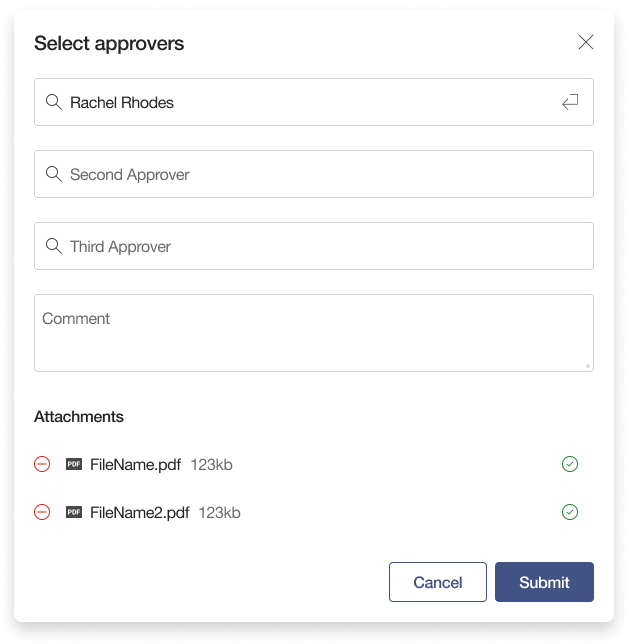
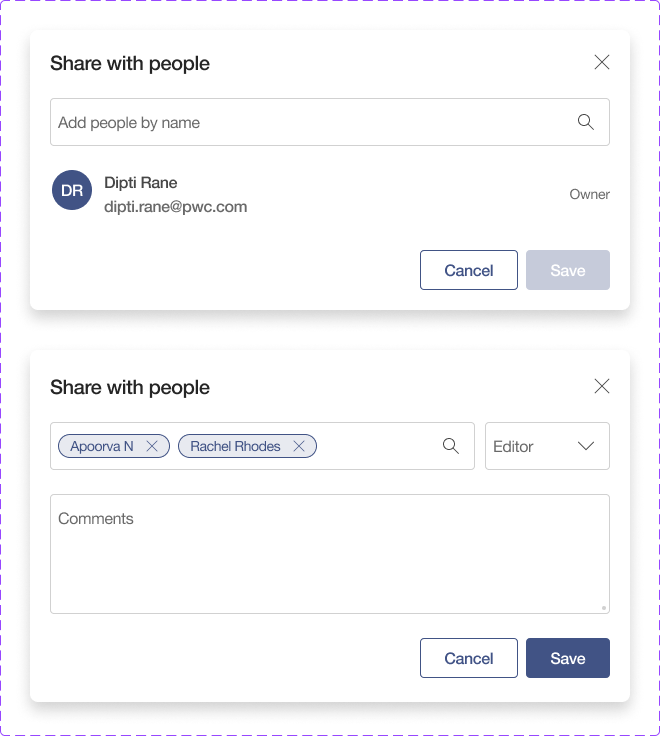
Threaded discussions, approval workflows, and decision documentation
Design Process
- User interviews conducted (Engagement team)
- Multiple workflow observations
- Competitive analysis of multiple platforms
- Pain point mapping workshop
- 4 detailed user personas created
- Information architecture mapped
- Multiple critical user flows documented
- Success metrics defined
- 8 design sprints conducted
- Multiple wireframes created
- Concept variations explored
- Stakeholder feedback sessions
- High-fidelity Figma prototypes
- Interactive flow demonstrations
- Design system integration
- Accessibility audit (WCAG 2.1 AA)
- Multiple usability testing sessions
- A/B testing on 3 variations
- Performance testing completed
- Security penetration testing
Deep Dive: Design Process in Detail
Understanding Information Architecture
I approach information architecture with a deep understanding of user behavior, content strategy, and technical constraints. By focusing on the hierarchy of information and navigation systems, I design structures that are user-friendly, scalable, and aligned with both user needs and project objectives. This ensures that complex systems of information are presented in a way that feels seamless, coherent, and easy to explore.

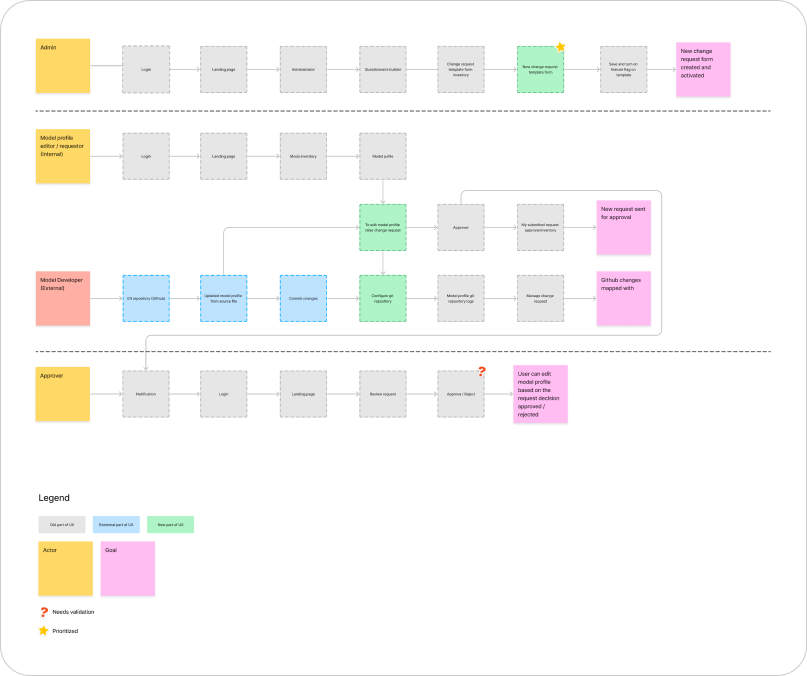
User Flow Mapping
To understand the correct flow, I constructed the information flow within the application, starting from the initial step to task completion. Correspondingly, I generated a user flow, outlining the most efficient steps for users to accomplish specific tasks. This comprehensive mapping ensured that every interaction was intentional and optimized for user success.
Low-Fidelity Wireframes: Bringing Ideas to Life
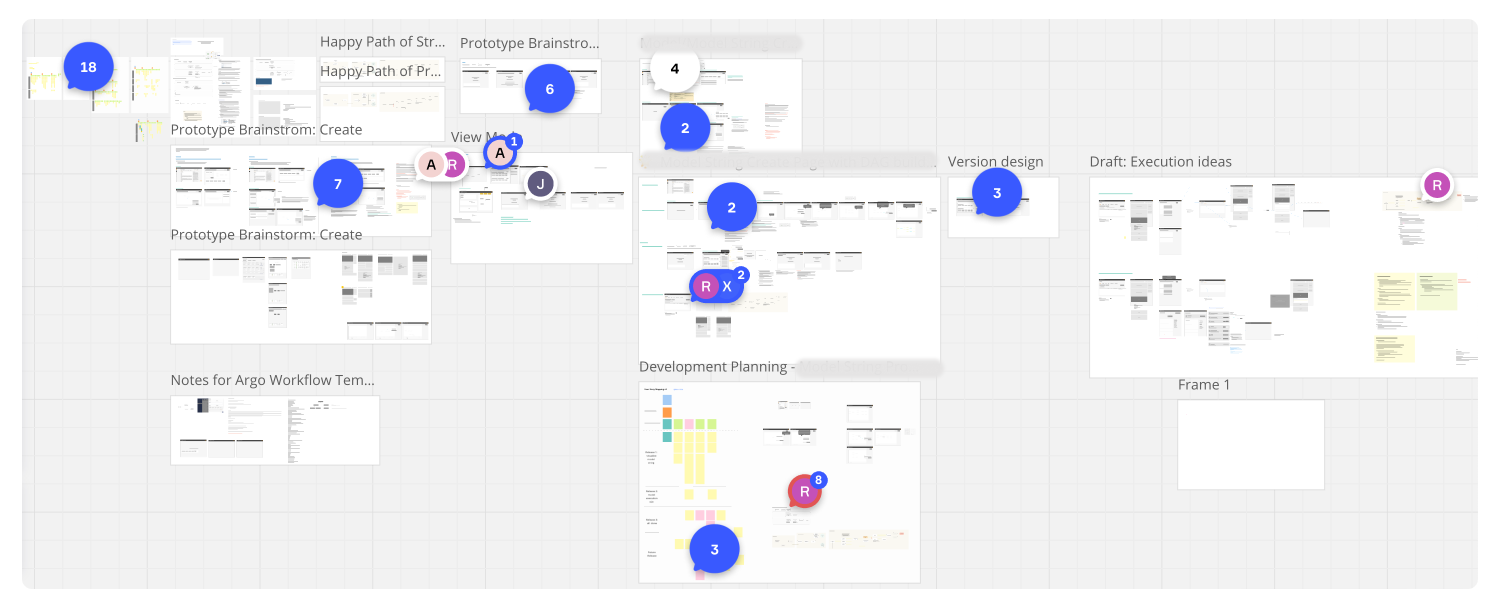
Using the Miro collaboration tool, I conducted brainstorming sessions to generate multiple versions and identify the ideal approach. After extensive sessions with the product team, I translated ideas and discussions into low-fidelity mockups—simple, yet powerful visual representations of product concepts.
These mockups served as a crucial step in the design process, allowing me to quickly explore and communicate various ideas without the distraction of fine details. By focusing on structure, layout, and user flow, I helped the team visualize how users would interact with the product. This collaborative approach enabled us to refine ideas effectively and ensured that the final product aligned with both user needs and business goals.
Design System Implementation
In our organization, a standardized design system was implemented across all products, led by a dedicated team of UI designers who established comprehensive guidelines. These standards prioritized accessibility, brand alignment, scalability, and simplicity, ensuring a consistent user experience.
The design system prioritized core components including typography, color palettes, buttons, icons, form elements, and spacing. Special emphasis was placed on responsiveness, ensuring each component adapted seamlessly to mobile, tablet, and desktop screens, thereby creating a unified and accessible experience across devices.

Prototyping and High-Fidelity Screens
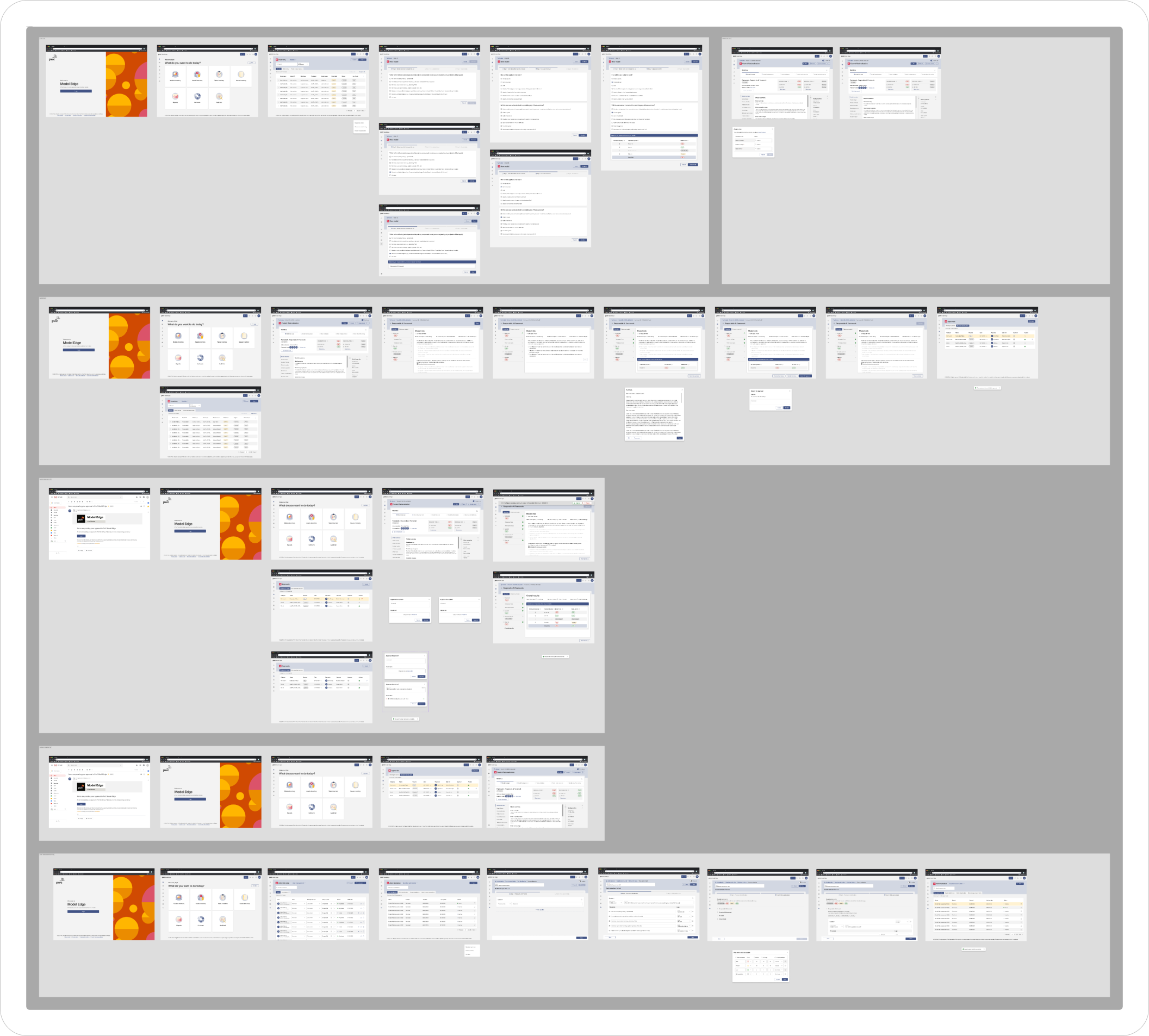
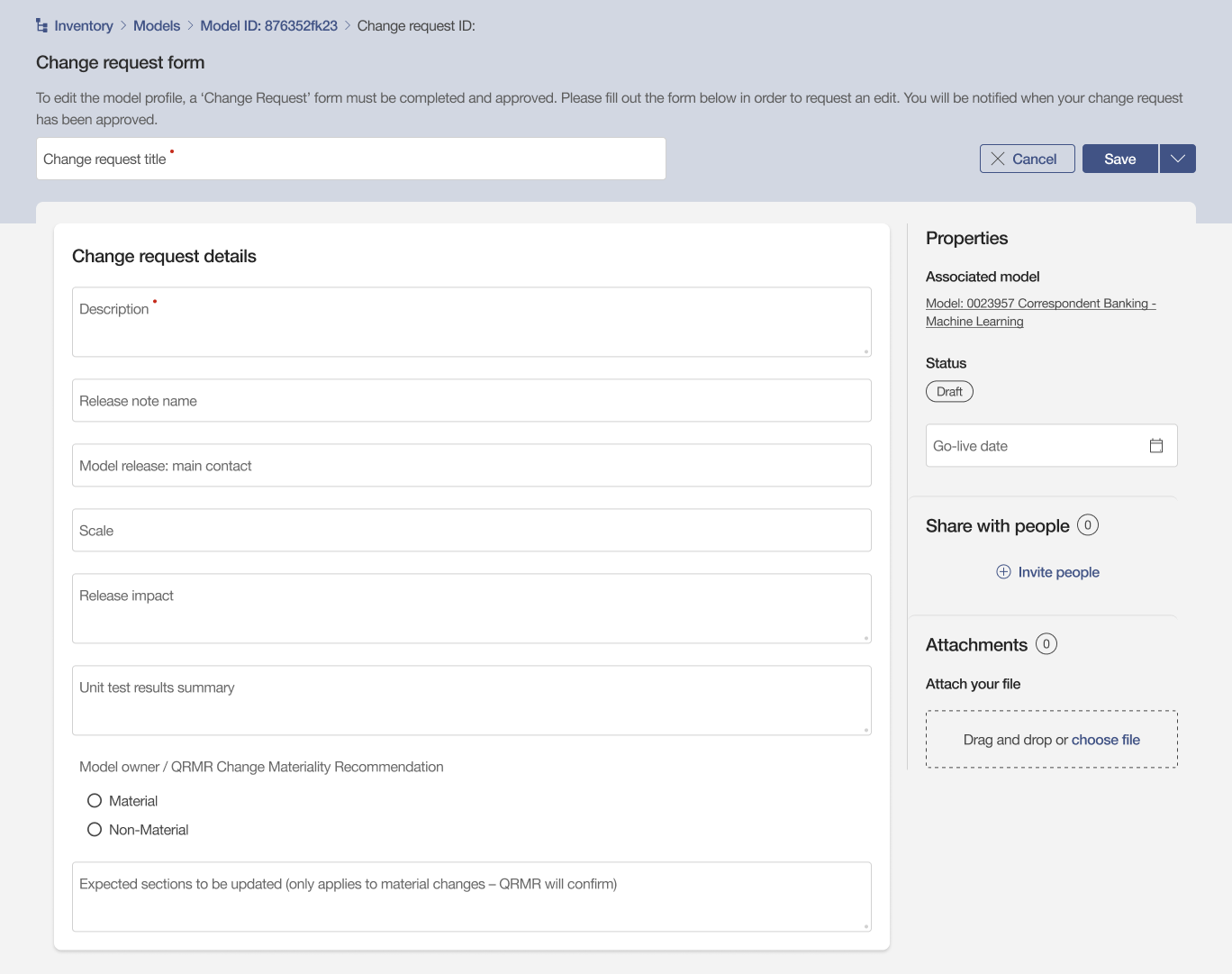
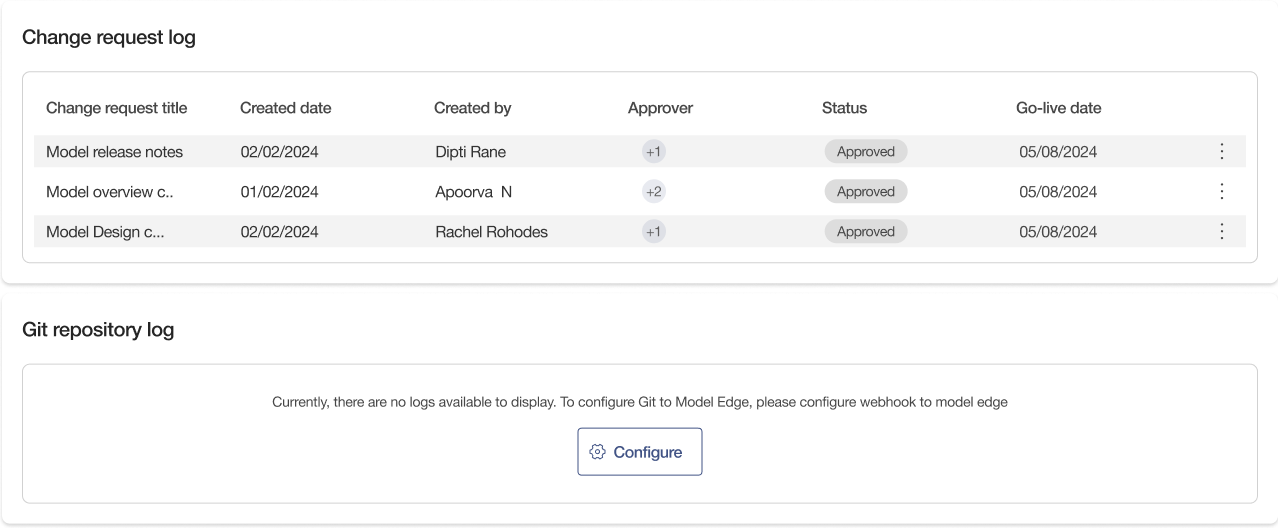
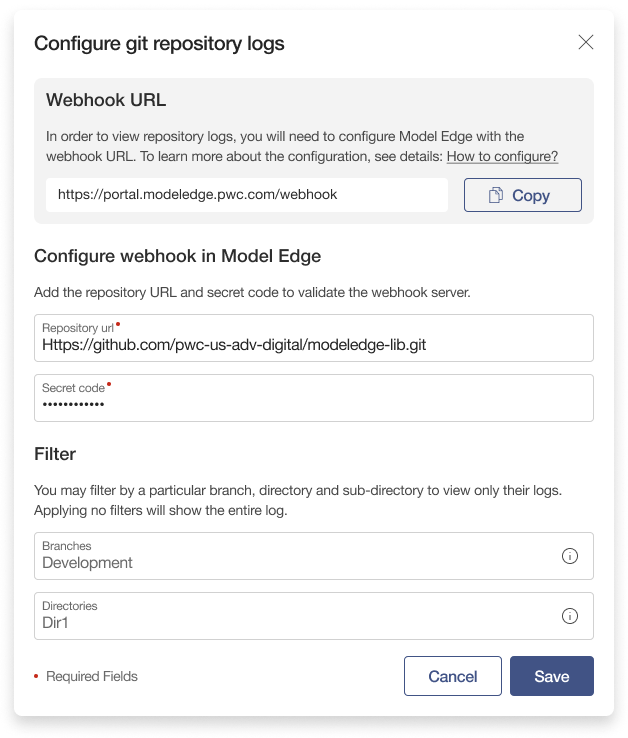
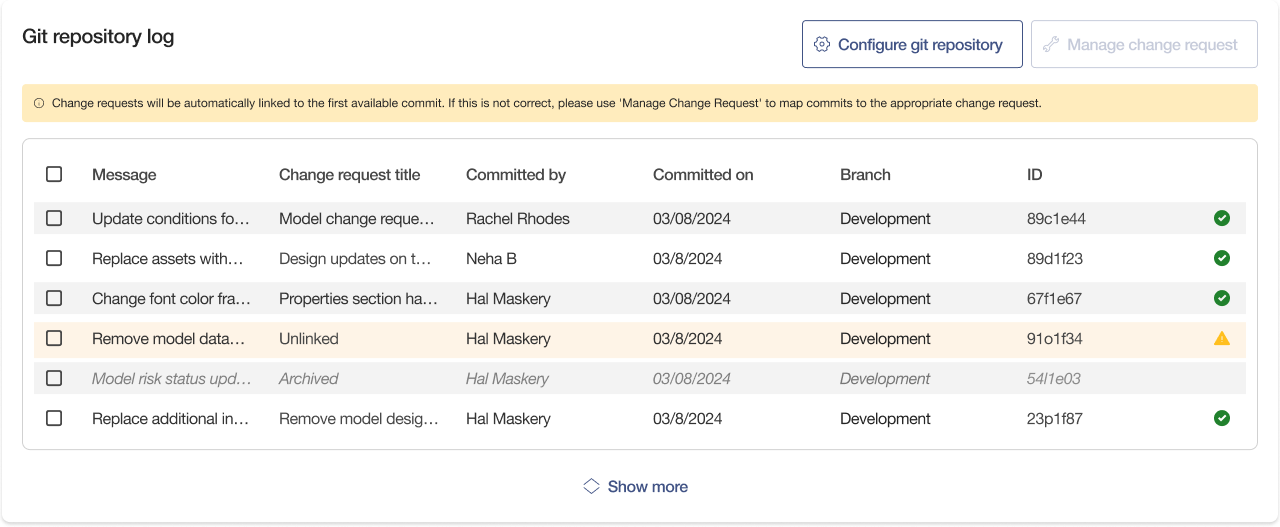
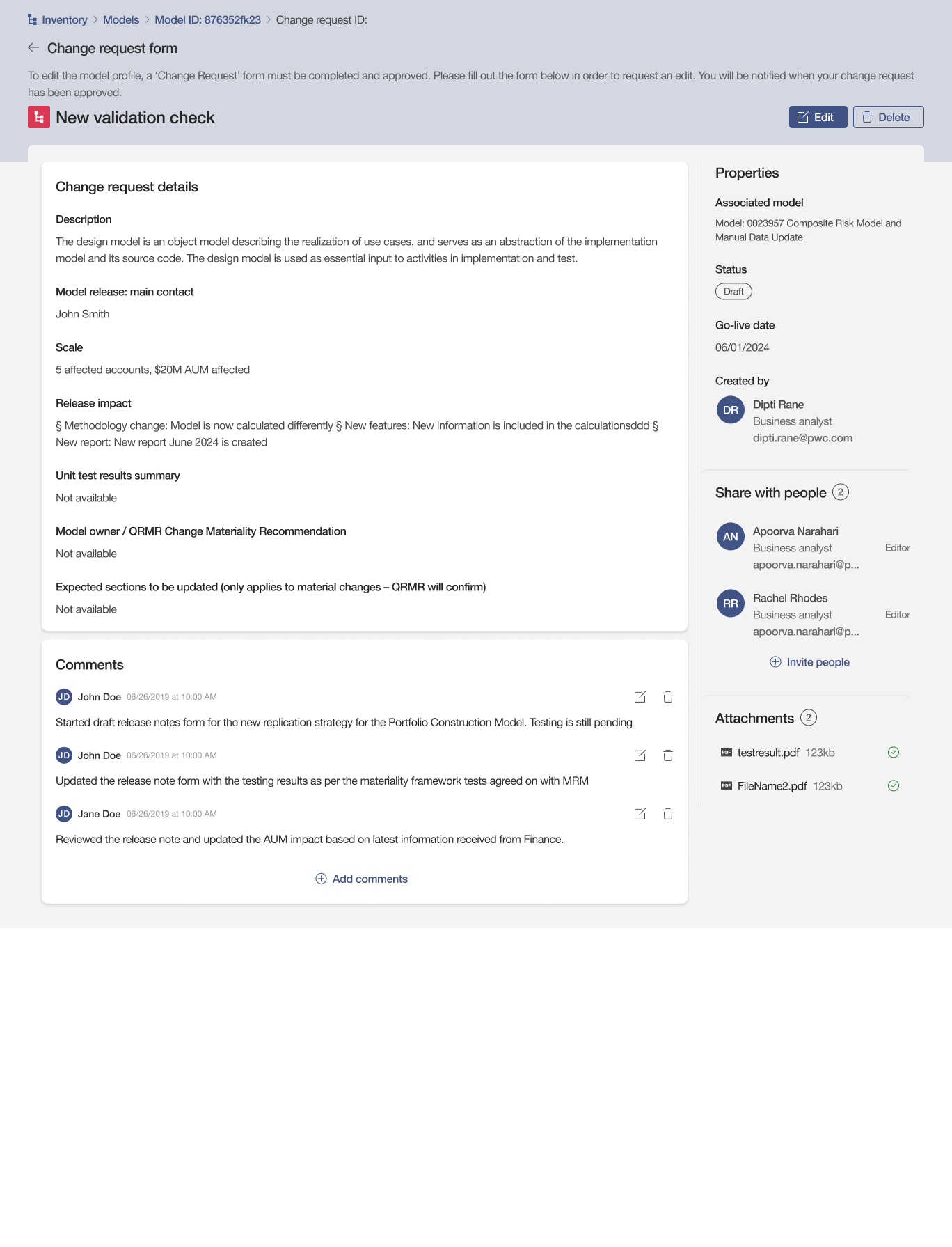
For high-fidelity designs and prototyping, I used Figma. Using user research, information architecture, and numerous iterations of paper sketches, I tested the screens to ensure the process was easy to understand. This led to the creation of a high-fidelity visual design that brought my vision to life with pixel-perfect precision.
Testing and Refinement
I conducted usability testing using Pendo tool with Figma prototypes and collected feedback from the engagement team and stakeholders. This iterative process was crucial in identifying pain points and opportunities for improvement before development began.
Development and Handoff
In terms of handoff, I prioritize a smooth transition from design to development. Given the limited number of Figma developer licenses due to software costs, I take extra care to ensure that design specifications are clear and accessible. This includes documenting component behaviors, source code references from the framework, and any additional findings directly within Figma.
I also provide interactive prototypes to clearly communicate user flows and intended interactions. Throughout implementation, I collaborate closely with engineers to ensure design fidelity and accurate execution. Where applicable, I maintain a shared design system or component library to support consistency and scalability across the product.
Post-Launch Evaluation
After launch, I consider the post-evaluation phase critical to closing the design loop and informing future iterations. I actively seek both quantitative and qualitative feedback to assess the real-world impact of the design.
- Iterative Improvements: Based on findings, I propose and sometimes prototype enhancements for future releases, ensuring the product continues to evolve with user needs.
- User Feedback: I gather insights through follow-up user interviews, surveys, and usability testing to understand satisfaction levels and pain points that may still exist.
- Stakeholder Review: I conduct design retrospectives with cross-functional teams to reflect on what worked, what could be improved, and how we can optimize the process in future projects.
System Transformation
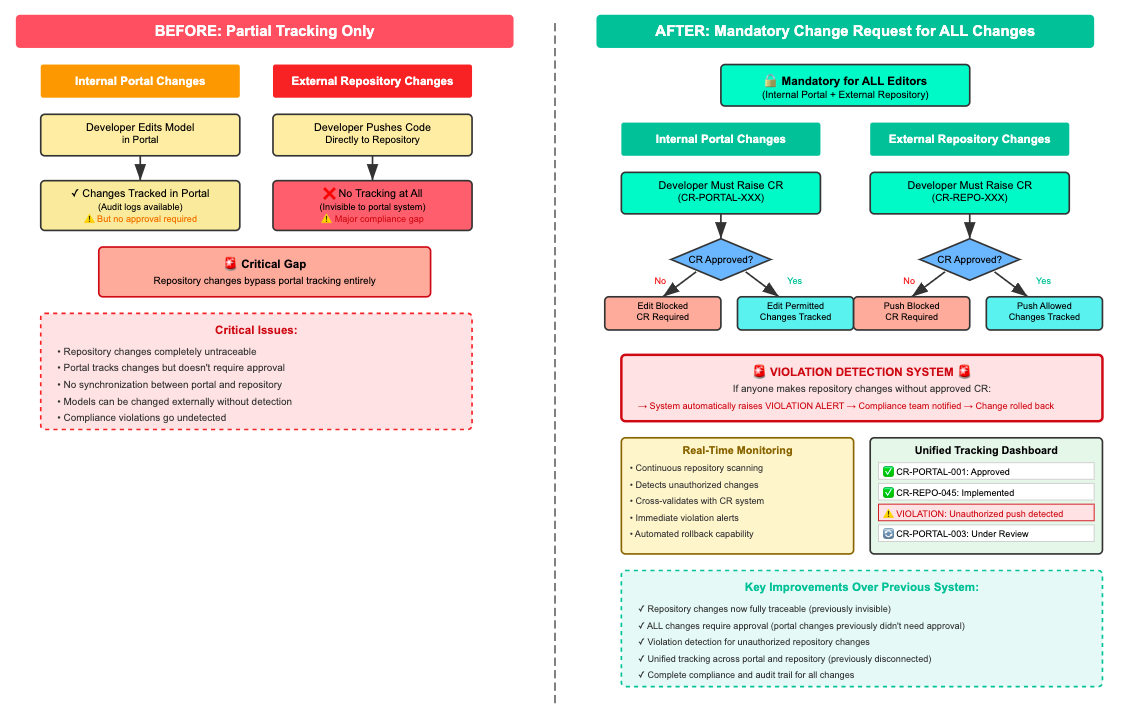
Before vs After Implementation
Legacy System
- Manual tracking via spreadsheets
- Email-based approvals (2-3 days)
- No integration with repositories
- 60% changes undocumented
- 15+ security incidents monthly
- 2-week audit preparation
- Zero real-time visibility
New System
- Automated change tracking
- In-app approvals (< 2 hours)
- Full GitHub integration
- 100% change documentation
- 3 security incidents monthly
- Instant audit reports
- Real-time dashboards
Success Metrics
The impact exceeded all projections, delivering measurable improvements across every KPI:
Detailed Performance Metrics
| Metric | Before | After | Improvement |
|---|---|---|---|
| Average Approval Time | 72 hours | 2 hours | 97% reduction |
| Change Documentation Rate | 40% | 100% | 150% increase |
| Monthly Security Incidents | 15 | 3 | 80% reduction |
| Audit Preparation Time | 2 weeks | 30 minutes | 99% reduction |
| User Training Time | 3 days | 2 hours | 92% reduction |
Business Impact
Financial Impact
Reduced errors, faster processing, and elimination of compliance penalties. ROI achieved in 4 months.
Operational Excellence
Streamlined workflows reduced process time by 65%, enabling teams to handle 3x more change requests without additional resources.
Risk Mitigation
Zero compliance violations since launch. Passed all regulatory audits with commendations for transparency and control measures.
Competitive Advantage
Became a key differentiator in sales demos, contributing to 23% increase in enterprise client acquisitions.
Team Productivity
Freed up 15 hours per week per team member, allowing focus on strategic initiatives rather than manual tracking.
Client Satisfaction
NPS score improved from 42 to 71, with security and transparency cited as top satisfaction drivers.
Design Evolution
From Concept to Reality
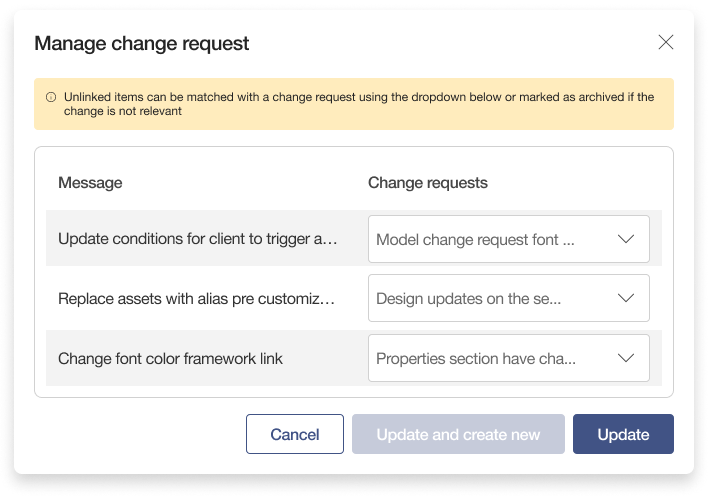
The design evolved through multiple iterations based on continuous user feedback and testing:
Key Learnings
Insights That Shaped My Approach
- Security First, But Not at the Cost of Usability: I found the sweet spot between robust security measures and intuitive user experience through progressive disclosure and smart defaults.
- Change Management is Human, Not Just Technical: Success came from addressing the human factors—fear of accountability, resistance to transparency—not just the technical requirements.
- Incremental Rollout Builds Trust: Piloting with power users first created champions who drove adoption across the organization.
- Integration Complexity Requires Early Technical Partnership: Bringing engineers into design discussions from day one prevented costly redesigns and ensured technical feasibility.
- Compliance Can Be a Design Opportunity: Rather than treating regulatory requirements as constraints, I used them as foundations for innovative features that users actually valued.
Future Roadmap
Based on user feedback and emerging needs, I've identified opportunities for enhancement:
- AI-Powered Risk Assessment: Machine learning to predict and flag high-risk changes before they're implemented
- Mobile Application: Native apps for iOS and Android to enable approvals on-the-go
- Advanced Analytics Dashboard: Predictive analytics and trend analysis for proactive risk management
- Blockchain Integration: Immutable audit trails for enhanced regulatory compliance
- Expanded Integrations: Support for GitLab, Bitbucket, and Azure DevOps
Thank You for Reading
I hope this case study provided valuable insights into my design process and the impact of thoughtful UX design on enterprise security solutions. Your time and attention are greatly appreciated.
If you'd like to discuss this case study or explore how we can work together, I'd love to hear from you.